
Home/Processes/Crane Site Photo Archive
Crane Site Photo Archive
Every photo taken with Crane is stored in order — with its date, its location and the record it belongs to. Storage is unlimited, so teams photograph freely, and you can see at a glance which photos were taken on which day.
Illustrative record
Where site photos get lost
What the Site Photo Archive covers
No caps on photos or storage, so nobody has to choose what to keep.
See which photos were taken on which day, across the whole project.
Every photo filed by block, floor and room through your location set.
Photos belong to the inspection, snag, observation or daily report they were taken for.
Compare the same location over time and see how the work progressed.
Filter by date, location, company or process and find the photo in seconds.
How it works
What you get
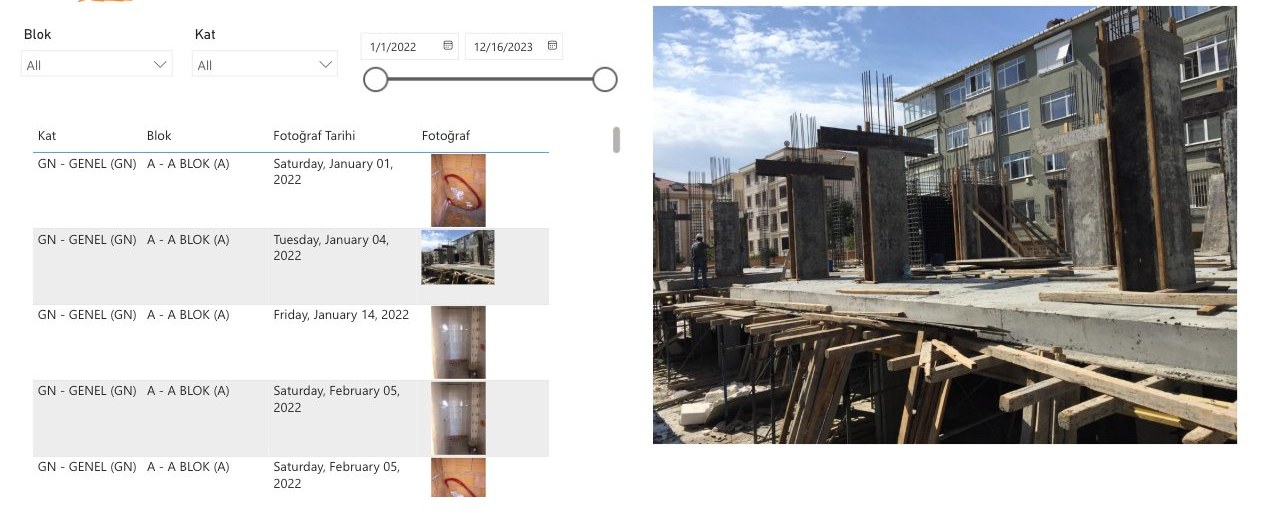
Photo log — every photo dated and filed by block and floor.
Who uses it
See the site on any day, without being there.
Review the photos behind every inspection and approval.
Keep the photographic record your payment and claim depend on.
Show the work you did, with the date on it.
Start with one project
We configure your processes, your location sets and your forms, and connect the parties on one project. Then you decide about the portfolio.